6. Common Issues with Song Playback
ECHO plays a song and shows that the file format is not supported?
1.Confirm whether the format and sampling rate of the song are within the support range of ECHO?
Support DSD256, WAV, FLAC, APE supports up to 192K, supports MP3/OGG/M4A/WMA
SACD, DTS, Aiff not supported
You can check the detailed information through System Settings-Music Support list.
2. If the format is within the support range, please confirm the download channel of the song, whether it is an encrypted type of flac format downloaded through the platform. Due to the encryption operation of the platform on the songs, the downloaded songs are not standardized enough after converting the format through online conversion tools, and some songs will be unsupported. These songs can be re-converted by Foobar to support normal format.
Foobar conversion method: import the song into the playlist - right-click on the song and select Convert - convert to the desired format can be.
3.If the issue remains, please provide the certain files for us to check.
What should I do if song titles appear garbled on the ECHO?
This is caused by incorrect ID3 tag encoding in the song files. Please switch the system language and then refresh/update the media library again.
Related Issues with Cover Art Display
The ECHO does not support cover art in PNG format
DSD format files do not support cover art display.
Note: You can return to the Tape interface by turning off the cover art display in the Music Settings.
Why are lyrics not displaying?
Lyrics display requires LRC files.
1.First, confirm if an LRC file corresponding to the song exists: The LRC file name must match the song file name. 2.Confirm that the LRC file is written in the correct format
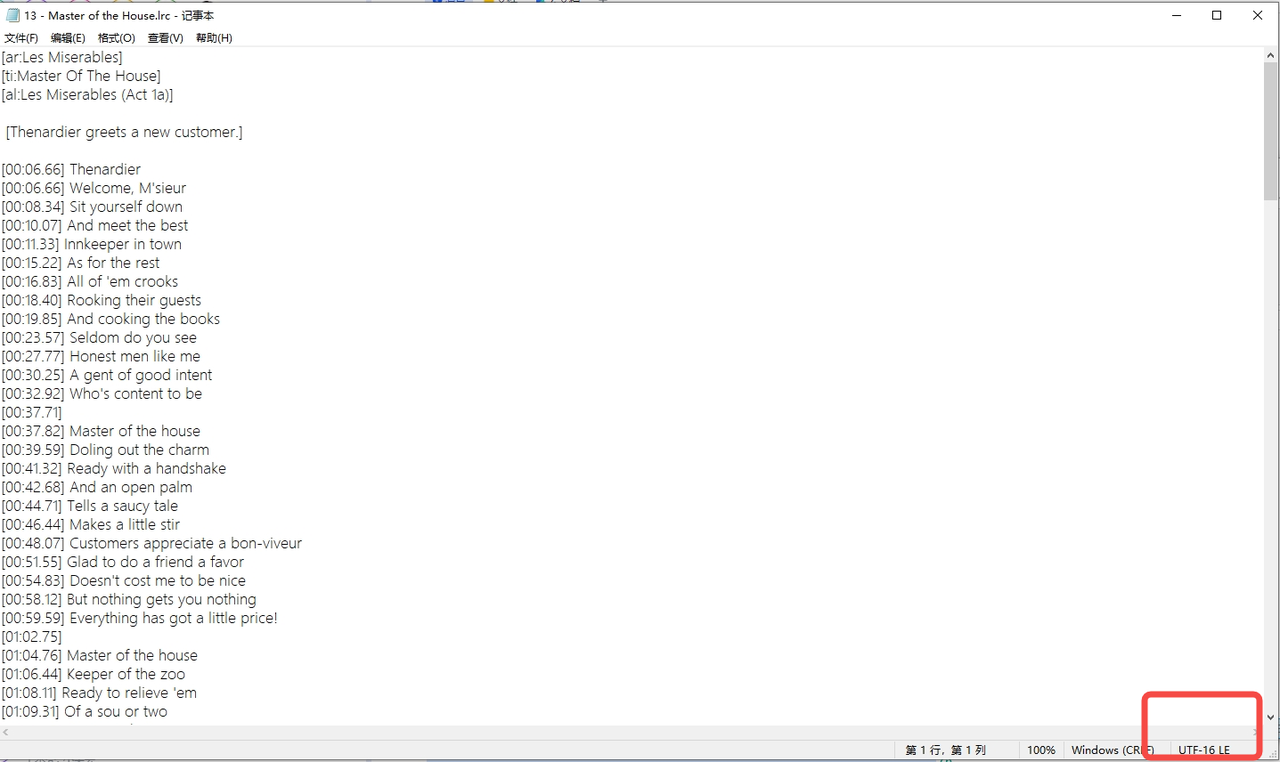
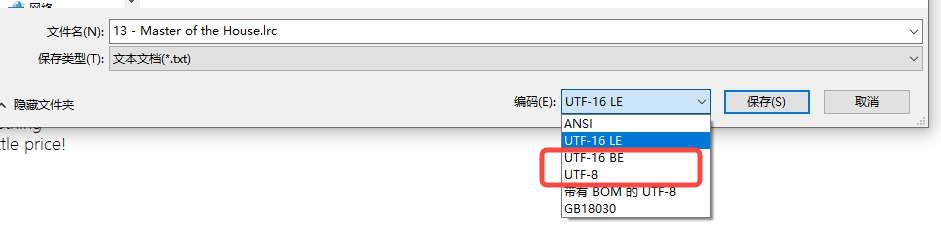
3.Confirm that the encoding format is correct. LRC files support UTF-8 or ANSI encoding, but do not support UTF-16 encoding.
How to change the encoding format:
Open the file using Notepad, select "Save As", and then choose the desired encoding format from the dropdown menu.