





































































19. M25/M25 R2R Settings—Display
-
Sample rate display
Displays the sample rate of the currently playing track at the top of the screen.
-
Dark theme
Switches the default white theme to a dark theme.
-
Brightness level
Adjusts the M25/M25 R2R screen brightness.
-
Indicator Light Control
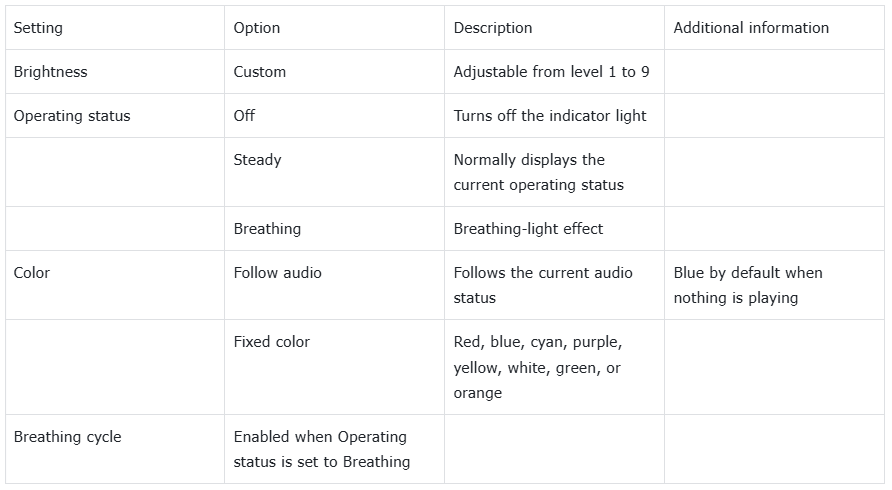
Follow display on/off: When enabled and the indicator is set to Steady or Breathing, the indicator turns on and off together with the display.
-
Night Light
When Night mode is enabled, the screen changes to an amber tone for more comfortable viewing in dim environments.
-
Screen timeout
This value is synchronized with the screen-saver timeout and provides a convenient place to adjust the duration.
-
Font size
Select the preferred font size.
-
Display size
Scale the content on the screen up or down according to personal preference.
-
Screen saver
Choose a customized M25/M25 R2R screen saver or a system screen saver.
-
Lock screen
Select the information shown on the lock screen.
