




























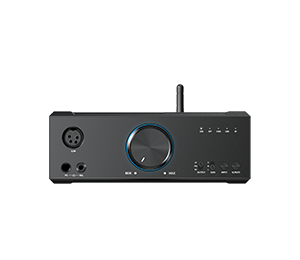
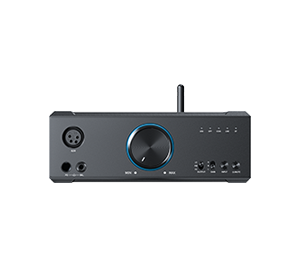













































, the X5III/X7/X7 MarkII firmware will be upgraded again!

In order to bring continuous update and optimization to X series players, we have updated the old Feiao music to the current market version of Feiao music, and also made a lot of adaptation and optimization to X series. Some functions have been temporarily removed because they do not conform to the design concept of the new version of Feiao Music, but we will evaluate the feasibility of rejoining or upgrading them later.
X7MKII-FW1.0.8 specific firmware modification points are as follows:
1. Add external playlist support;
2. Add the function of returning to the home page in the playback interface (click more function buttons in the upper right corner to select returning to the home page);
3. Add a new song information display page (click on the song cover to switch to the lyrics and song information interface);
4. Add maximum volume setting and boot volume customization function (can be set in system settings-audio settings);
5. Add a playlist sorting function (click the multi-function button in the upper right corner of the playlist to select the sorting you want);
6. Add CUE support for DSD tracks;
7. Add support for multiple master files corresponding to a single CUE file
8. Fixed the problem that WiFi songs could not be transferred to TF card;
9. Fixed the problem of abnormal DSD playing Bluetooth;
10. Fixed the problem of abnormal DLNA playback;
11. Fixed the problem of abnormal DSD256 playback;
12. Fixed the problem that EQ partial frequency setting could not be memorized;
13. Fixed the problem that the interface did not refresh after EQ reset;
14. Optimized file name sorting function;
15. Optimize the trigger area of some buttons;
16. Fix other bugs.
X7MKII FW1.0.8The firmware download link:Click to view
How to upgrade the firmware of X7MKII:Click to view
-------------------------------------------------------------------------------------------------------------------------
X7-FW3.3.7 / X5III-FW1.2.3 specific firmware modification points are as follows:
1. Add external playlist support;
2. Add the function of returning to the home page in the playback interface (click more function buttons in the upper right corner to select returning to the home page);
3. Add a new song information display page (click on the song cover to switch to the lyrics and song information interface);
4. Add maximum volume setting and boot volume customization function (can be set in system settings-audio settings);
5. Add a playlist sorting function (click the multi-function button in the upper right corner of the playlist to select the sorting you want);
6. Add CUE support for DSD tracks;
7. Add support for multiple master files corresponding to a single CUE file
8. Fixed the problem that WiFi songs could not be transferred to TF card;
9. Fixed the problem of abnormal DSD playing Bluetooth;
10. Fixed the problem of abnormal DLNA playback;
11. Fixed the problem that EQ partial frequency setting could not be memorized;
12. Fixed the problem that the interface did not refresh after EQ reset;
13. Optimized file name sorting function;
14. Optimize the trigger area of some buttons;
15. Fix other bugs.
X5III FW1.2.3The firmware download link:Click to view
How to upgrade X5III firmware:Click to view
X7 FW3.3.7The firmware download link:Click to view
How to upgrade the firmware of X7:Click to view
